






YouCut - Video Editor & Maker
 Trusted
 7.1+
7.1+

 PEGI-3
Description of YouCut - Video Editor & Maker
YouCut is a free video editor and movie maker designed for Android users, offering a variety of features to enhance video editing experiences. It caters to individuals looking to create engaging videos for social media platforms. Users can download YouCut to access a full-screen video editing interface that allows for professional-quality edits without the presence of watermarks or ads.
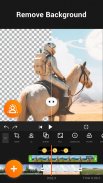
The app provides an AI Video Boost feature that automatically enhances videos and photos, ensuring improved quality with just a tap. Users have the option to utilize AI-powered auto captions, which convert spoken content into text, making it easier to add informative captions to videos. Additionally, YouCut enables users to remove backgrounds from their clips instantly, a useful tool for creating polished visuals.
For those interested in manipulating video speed, YouCut includes a video speed control feature. This allows users to adjust their video playback speed from 0.2× to 100×, enabling the creation of slow-motion or fast-paced sequences. The app also boasts a smooth slow-motion option, adding a professional touch to video presentations.
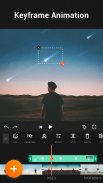
The editing process is made more intuitive with a multi-layer timeline, which provides a clear view of the different elements in a project. Users can easily crop, trim, and split videos to fit their desired specifications. The video cutter function allows for precise edits, while the video merger feature combines multiple clips into a single cohesive video.
YouCut supports various aspect ratios, such as 1:1, 16:9, and 3:2, allowing for customization based on the platform where the video will be shared. This flexibility is essential for creators targeting different social media channels, ensuring their content fits the required formats.
In addition to editing tools, YouCut offers a selection of video filters and special effects. Users can apply movie-style filters to their videos, adding a cinematic feel. Custom adjustments for brightness, contrast, and saturation are available, enabling users to tailor their visuals according to their preferences.
The app includes functionalities for adding music to videos. Users can either choose from a library of free featured music or incorporate their own tracks. It also provides options to adjust the volume of original video audio, allowing for balanced soundscapes in final products.
For those creating slideshows, YouCut features a photo slideshow maker that merges videos with photos seamlessly. Users can create engaging presentations by combining various media elements, enhancing storytelling capabilities.
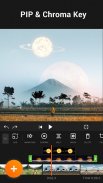
Chroma key support is another advanced feature, allowing users to change video backgrounds easily. This includes options to blur backgrounds for a more dynamic look or to replace them with different colors, facilitating creative storytelling through video.
YouCut is equipped with a video compressor and converter, supporting resolutions up to 4K. This ensures that users can save significant storage space without sacrificing video quality. The app efficiently compresses video files, making it an excellent choice for managing storage on mobile devices while maintaining high-definition outputs.
With the ability to share videos directly to platforms like YouTube, Instagram, and Twitter, YouCut simplifies the process of distributing content. Users can add text overlays to their videos, customizing fonts and styles to match their unique branding or personal flair.
The app also offers a video slicer, allowing users to split videos into two separate clips. This feature is particularly useful for those needing to extract specific sections from longer recordings. The editing capabilities extend to rotating videos, enabling proper orientation adjustments as needed.
By utilizing YouCut, users can create polished videos suitable for various audiences without encountering intrusive advertisements. The app's focus on providing a user-friendly experience ensures that all features are easily accessible, making video editing approachable for anyone interested in crafting high-quality content.
With its comprehensive suite of editing tools, YouCut stands out as an effective solution for video creators seeking to enhance their projects efficiently. Whether for personal use or professional content creation, YouCut delivers the necessary features to produce impressive videos on the Android platform.
For more YouCut news or tutorials, subscribe to YouCut on YouTube: https://youtube.com/@YouCutApp.
YouCut - Video Editor & Maker - Version 1.643.1196
(12-10-2024)


YouCut - Video Editor & Maker - APK Information
APK Version: 1.643.1196Package: com.camerasideas.trimmerLatest Version of YouCut - Video Editor & Maker


Other versions














 3.55
3.55


 3.17
3.17







Apps in the same category


 4.23
4.23 4.42
4.42 4.39
4.39 3.96
3.96
 4.42
4.42You may also like...